
by Mike Shea on 9 May 2012
Note: This article has been updated in August 2016 from the original version written on 1 October 2009.
For many years, Getting Things Done has helped many people manage the chaos of everyday life. GTD has made many of us happier, more relaxed, and more productive in the things that interest us in our lives. You can read more about it with my introduction to Getting Things Done.
This article discusses the nuts and bolts of using a Moleskine pocket notebook as our core system for Getting Things Done.
When we break down the simplified core components of GTD we get the following:
A single Moleskine can do all of these things for us.
No modifications are needed to use a Moleskine for our GTD system.
Incoming notes, calendar, and next actions all reside together in the main body of the notebook. Our weekly calendars and action lists flow into the rest of our notebook, each on a separate page wherever they happen to land. Writing these pages out in-line lets the notebook grow naturally without wasting pages by breaking things out into sections before they're written. When a new week comes on, we write in a new calendar on the next available page and add new action lists on the pages following it.
Project lists reside on the last six pages of the notebook broken out however they make sense, often "work projects" and "home projects". We can leave about two or three pages in a notebook to let these project pages grow over the months.
When we start a new Moleskine, we can write the starting month and year on the top spine of the notebook and then, when the notebook is full, we can write the month and year we finished it. This gives us an excellent index of time over multiple books when placed on a bookshelf.
Below we describe each main section of our GTD notebook.
Most of the notebook will be taken up with random things that happen throughout our days. Each page is dated with the subject at the top for easy reference later. Much of this might not result in an action but, if it does, we can denote it with an "A" right next to the item. This means there is likely an outstanding action. We "process" these notes by reading through them, determining any next actions and, if there is one, add it to one of our action lists (more on this in a moment). If the action is a bigger thing, we can add it to our project list. Once we've processed the action, we can put a check mark through the A so we know we've covered it.
During our weekly review we can go through every page of the notebook for the past week and, if we're sure we've covered any potential action, we can put a check mark in the upper corner of the page. This lets us know that that page and everything before it has been processed. There's no loose actions back there.
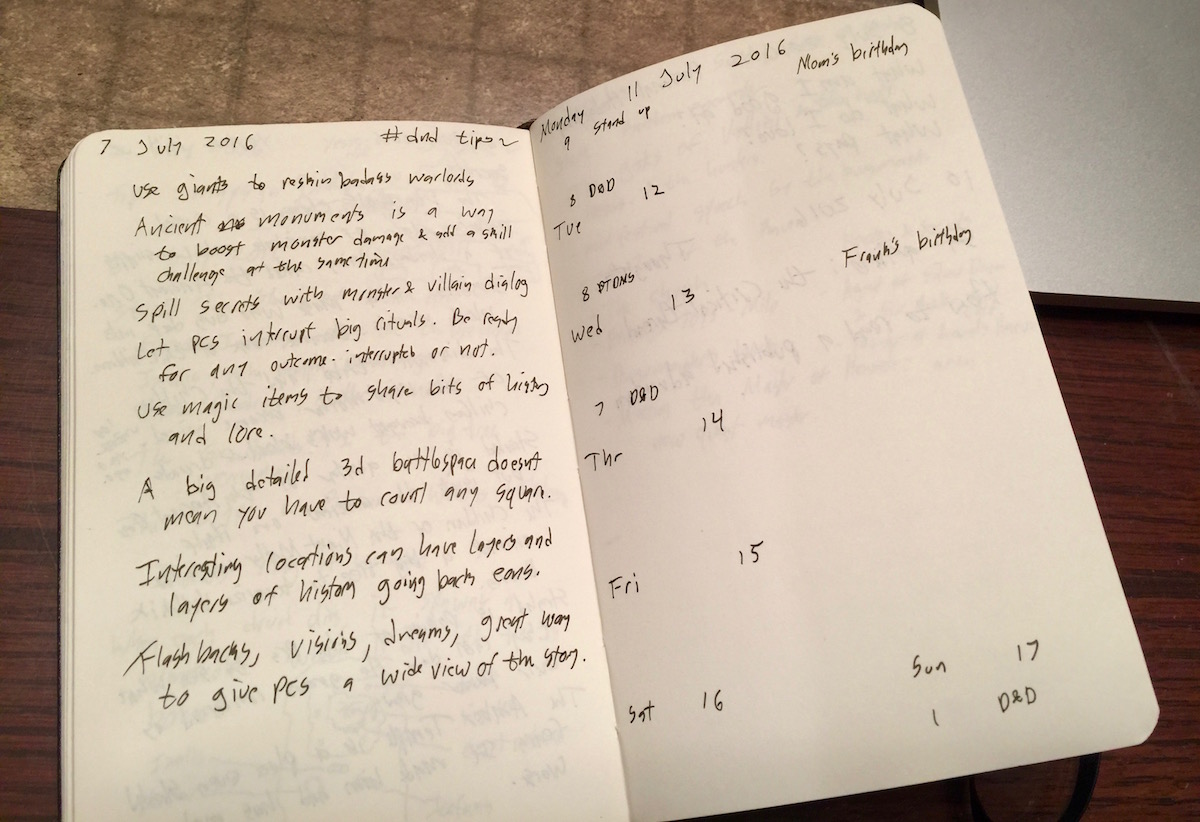
We can keep a small weekly calendar on a single page of the notebook. We put in a new calendar during our weekly review and, during the review, we look at any of our digital calendars to see what appointments we have for the next week. The format for this weekly calendar can be very minimal. Each week day is labeled with an abbreviated day of the week and the current number of the day of the month. The Monday gets a full date with a month and a year but the rest of the days just get the number.
Each day gets about an inch of space and appointments are written in by time of day. It's rare for me to have more than three appointments on any given day so that ends up being enough space.
When a new week starts, we write out the next available page. We don't separate it from the rest of our notes, it just flows into the rest of the notebook and helps us see where the weekly breaks are throughout the notebook.
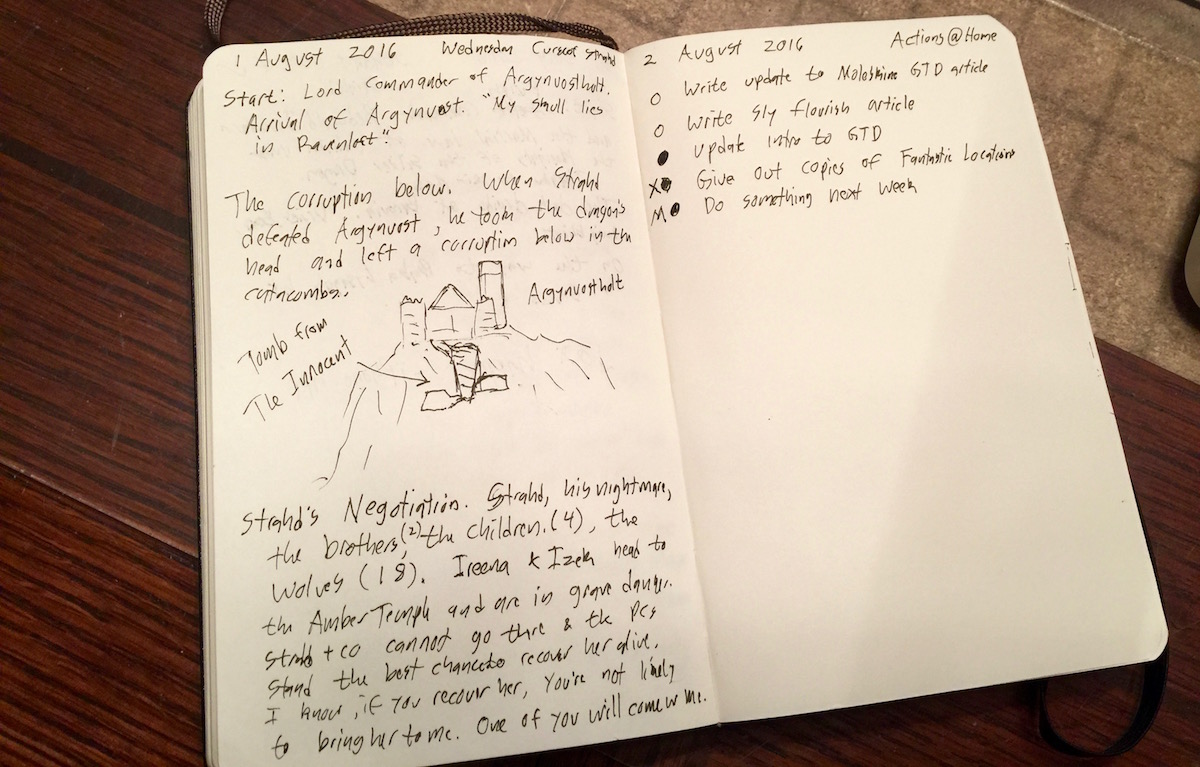
After our weekly calendar page, we can write our next action lists broken out by location. We use the whole page for each context, adding items with an empty circle at the beginning of them. When we complete them, we fill in the circle. If we defer, renegotiate, or otherwise eliminate an action without doing it, we can fill in the circle and draw a small X next to it. If we move it to a new action list during a weekly review, we can fill in the circle and put an M next to it. During our weekly review we ensure that every action is either completed, deleted, or moved to the next list. Each week we start with a new fresh list. Once we've completed, deleted, or moved every item on an old action list, we add a check to the upper corner of the page, just like we do for notes pages, to denote that we've "processed" it.
Regularly refreshing our action lists ensures we really care about what's on them. if we tend to move the thing from week to week without doing it, something is wrong with that action. It's either too big or not important enough. Try just deleting it and see if it comes back. If we have more items than can fit on a single page, that's probably a good sign that we're over-committed.
I tend to find that three to five open items is my sweet spot. More than that and I have too many things I'm trying to do at once. Too few and it's like dividing by zero in my head. I get a little crazy. Three to five items is a good amount to make me feel both relaxed and productive.

In the back of the Moleskine, we leave about four or six pages open for project lists. We can split these up into different big categories like "work" or "home" or whatever makes sense. More than a couple of categories is probably over thinking it. When we're done with a project we can draw a line through it or scratch it out or fill in a circle next to it like we do with actions but often these projects stick around for a while. These pages are likely to get messy as we re-scope projects. The main thing is to ensure that every major project we're working on has an item on our project lists. Like everything else we review these projects during our weekly review and ensure we have next actions for each project. If we don't have a next action, we might ask ourselves if this project is still important or needs to be re-scoped into something with a clear action.
The GTD purists among you may notice that I have no "someday / maybe" lists and no "waiting for" lists. Over the years I've eliminated a few of the standard GTD tools, finding they had a higher overhead for their limited usefulness. You can read more about this in Simplifying GTD.
Once a week we should conduct a weekly review. Our Moleskine GTD notebook will be a big part of this review. Here are the steps:
Its possible you might have additional steps like clearing your email inboxes and reviewing email "Action support" folders. They key is to clear out any "inbox" you have in your life and add projects and next actions where needed.
The weekly review is one of the most important parts of a solid Getting Things Done system and is often the most overlooked. Give it the time it deserves.
One failure of the Moleskine GTD system is its inability to easily handle reoccurring actions or delayed actions. Many times we have things we need to do but not now. The easiest way to handle these is to add them to our calendar on the date we want to pay attention to them. When we do our weekly review we'll see it and can add it to our action list. We can do the same for reoccurring tasks by adding repeating events to our digital calendars.
One problem with this is that our action lists get overloaded after our weekly review. A digital system like Omnifocus can ensure our actions are better distributed by only having events show up on particular days of the week rather than piling all up in the beginning.
Why would someone spend so much time pontificating the details of a system like this? To make our lives simpler. We don't do this to obsess about our systems, we do this to get our systems in order and get it out of the way so we can work on things we really care about. We have a limited amount of time and energy. A solid system like this ensures we don't waste that time and energy worrying about bullshit and can, instead, focus it where it matters the most.